 Typoer
Types your text
like a person would.
Typoer types any text into any window at the speed you choose. It makes the odd typo on a neighbouring key, notices, and fixes it with backspace.
The app, mid-sentence
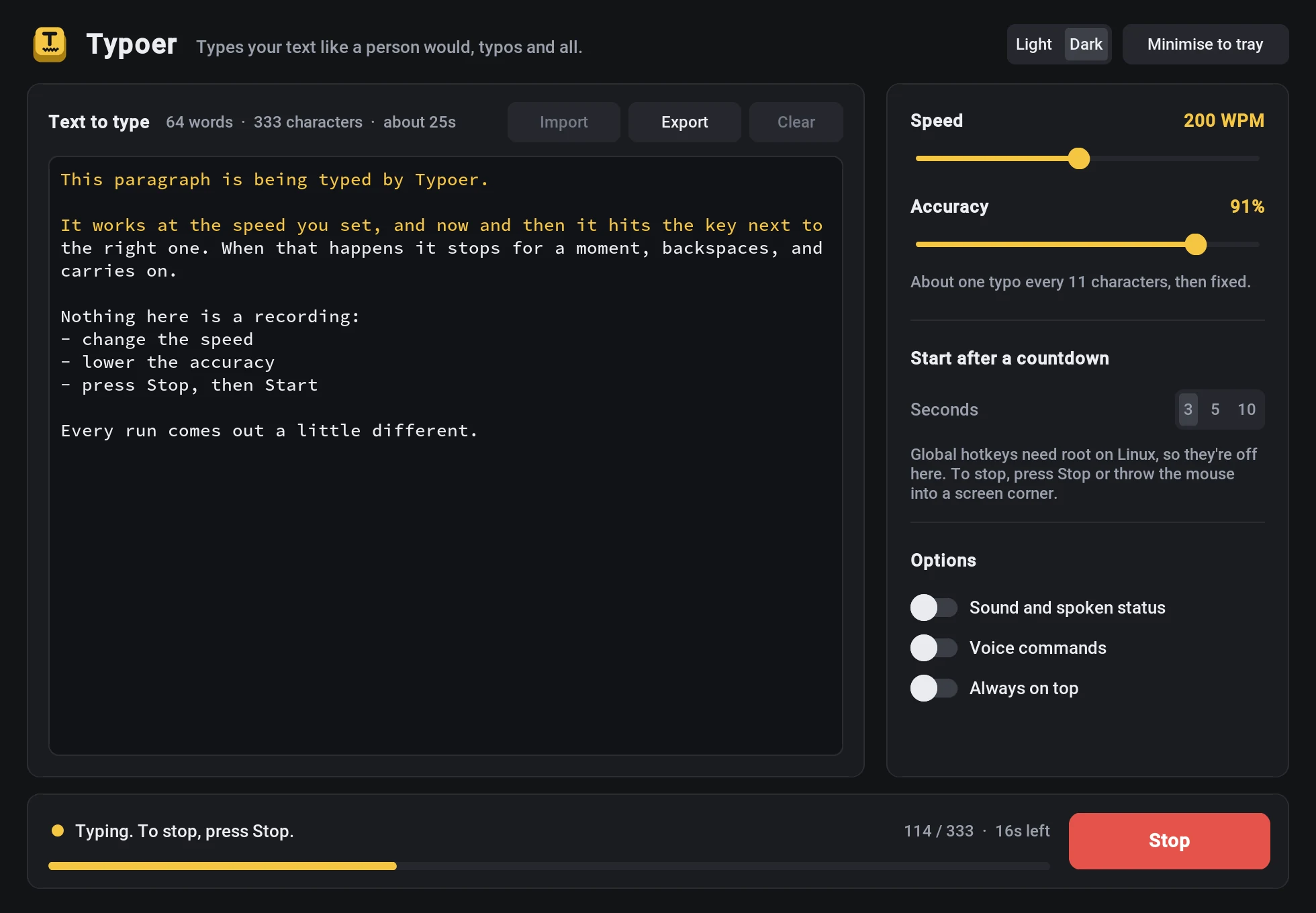
Speed you set
From 20 to 400 words a minute, with uneven key timing and a short pause at the end of each sentence.
Typos that look real
A slip lands on a key next to the right one, sits there for a moment, and gets backspaced. You choose how often.
Types anything
Line breaks, tabs, accents, dashes and curly quotes all arrive as written.
Hotkey or countdown
Begin with a key such as F8 and stop with Esc, or start after a 3, 5 or 10 second countdown.
Voice commands
Say "start typing" or "stop typing". This one needs a microphone and an internet connection.
Remembers your setup
Import and export .txt files. Speed, accuracy, keys and theme are saved between sessions.
Four steps to a typed page
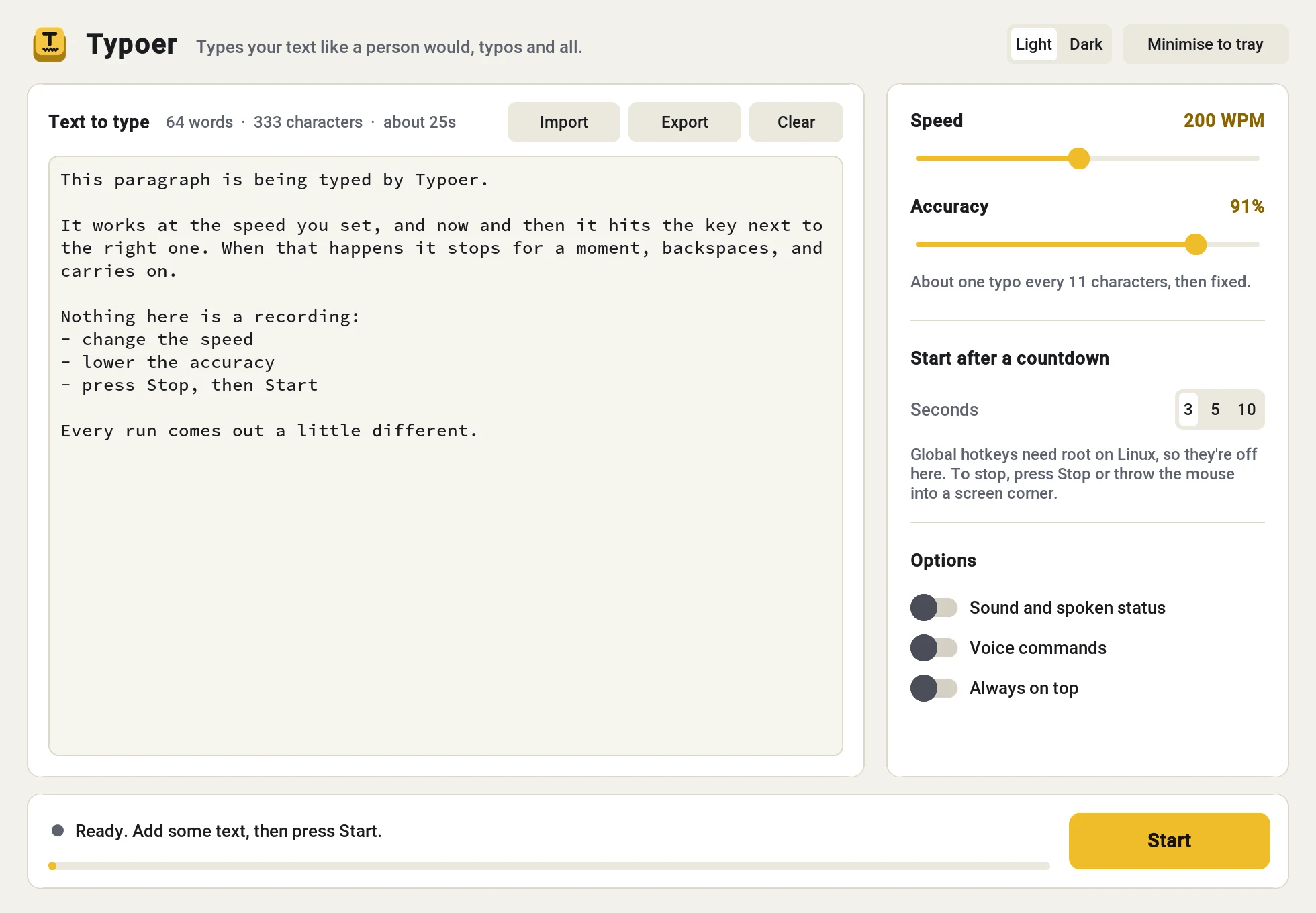
- Paste your text into the editor, or import a
.txtfile. Typoer shows the word count and how long it will take. - Set the speed and accuracy. At 91%, that's about one typo every 11 characters.
- Press Start, then click into the window where the text should go.
- Press your start key, or wait for the countdown. To stop early, press the stop key or the Stop button.
Run it from source
Three commands
git clone https://github.com/Spider2742/Typoer
cd Typoer
pip install customtkinter pyautogui keyboard plyer speechrecognition pyaudio pystray pillow pyttsx3
python Typoer.py
Good to know
- Global hotkeys need root on Linux and accessibility permission on macOS. Without them, Typoer starts on a countdown instead.
- On Linux, keys are sent through X11, so the window you type into has to be an X11 or XWayland app.
- Emergency stop: throw the mouse into a corner of the screen and typing ends at once.
Open source, MIT licensed
Get it on GitHubInspired by the original idea in georgetian3/typoer.