 MangaDex Sync
Move your manga library, scores and all.
MangaDex Sync exports your MangaDex library to MyAnimeList and AniList with statuses, scores and chapter progress, and imports it back. It runs on your own machine.
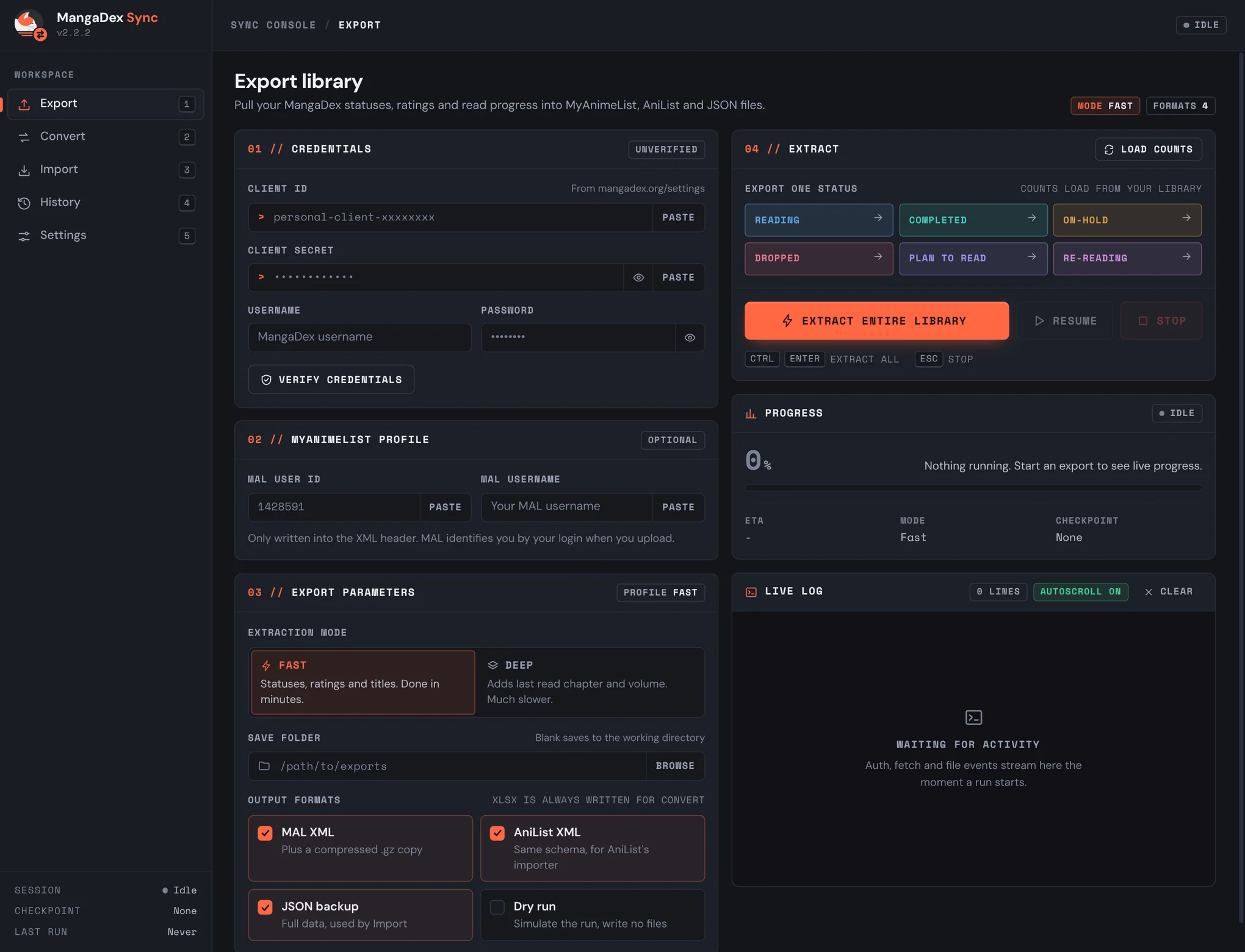
One app, three jobs
Pull your library out of MangaDex
Fetches every title with its status and your rating, and writes MAL XML, AniList XML and a JSON backup.
Turn an export into import files
Generates MAL XML, AniList XML and a compressed .gz from an export you already have, without touching the API.
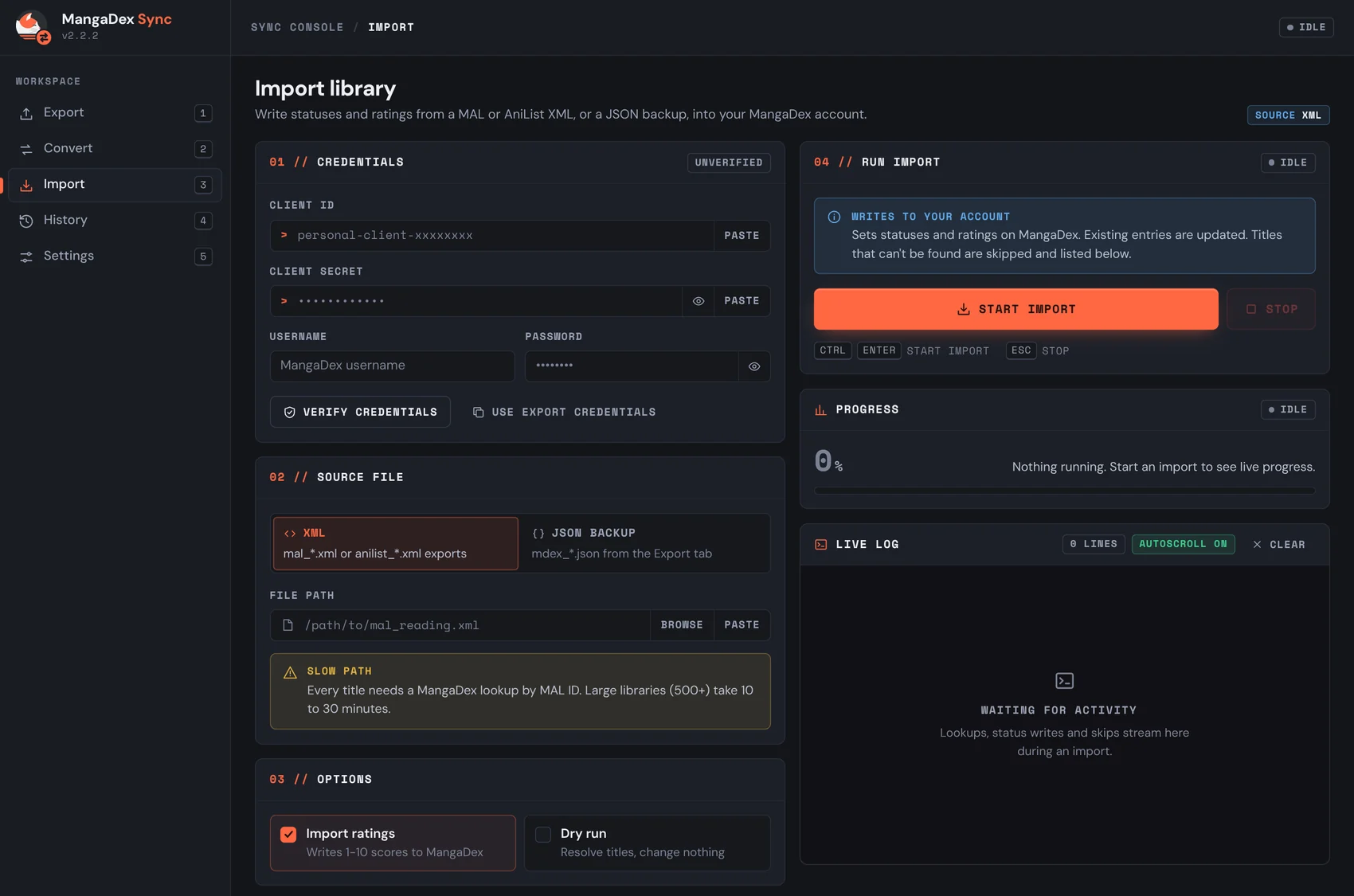
Write a library back to MangaDex
Restores statuses and ratings from a JSON backup, or from a MAL or AniList XML file.
Fast when you want a snapshot, Deep when you want everything
Fast mode gets titles, statuses and ratings in batches, which takes minutes. Deep mode also works out the last chapter you read for every title, which takes much longer on a big library.
| Fast | Deep | |
|---|---|---|
| Time | Minutes | 15 to 60+ min |
| Titles and reading status | Yes | Yes |
| Your ratings | Yes | Yes |
| MAL and AniList XML | Yes | Yes |
| Last read chapter | No | Yes |
Nothing changes until you say so
Every operation has a dry run that shows what would happen without writing anything. Import tells you up front that it writes to your account, and lists any title it could not match instead of skipping it silently.
Resume
An interrupted export picks up from its last checkpoint.
Scores travel too
Your MangaDex ratings carry across to MAL and AniList, not only the status.
Live counts
Per-status title counts are pulled from your library before you export.
History
Every export, import and convert run, with totals, timing, match rate and search.
Credential check
Verifies your MangaDex login before a run and shows how long the token is valid.
Keyboard shortcuts
1 to 5 switch pages, Ctrl Enter starts a run, Esc stops it.
Install
From PyPI
Recommendedpip install mangadex-sync
mangadex-sync
Installs a mangadex-sync command you can run from anywhere. It opens in its own desktop window, or in your browser if a native window isn't available.
Standalone script
Single filegit clone https://github.com/Spider2742/Mangadex-Sync cd Mangadex-Sync
pip install -r standalone/requirements.txt
python standalone/mangadex_sync.py
The same app as one Python file, for when you'd rather not install a package.
You need a MangaDex API client
Free to create and approved instantly. The app talks to MangaDex with your own client, from your own machine.
- Go to mangadex.org/settings.
- Scroll to API Clients and click Create.
- Name it anything and set the type to Personal.
- Copy the Client ID and Client Secret into the app.
What an export writes
- mdex_{status}_{timestamp}.json
- Full JSON backup. The Import screen restores from this.
- mdex_{status}_{timestamp}.xlsx
- Raw export data. The Convert screen reads this.
- mal_{status}_{timestamp}.xml
- MyAnimeList import file.
- mal_{status}_{timestamp}.xml.gz
- The same file compressed, which MAL also accepts.
- anilist_{status}_{timestamp}.xml
- AniList import file.
If something goes wrong
"Authentication failed"
Check your Client ID, Client Secret, username and password, and make sure the API client is approved on MangaDex and not still pending.
"Failed to set status" during import
Your API client was probably deleted or is not approved. Check it at mangadex.org/settings.
The native window doesn't open
The app falls back to your browser automatically. On Linux it prints the exact system package command your distro needs for the native window.
Manga missing after a MAL import
Those titles had no MAL ID on MangaDex, so they are listed in the Skipped section. Add them to MAL by hand.
Open source, on PyPI
Based on the original export scripts by Seriousattempts, rewritten and extended. MangaDex Sync is an independent project and is not affiliated with MangaDex, MyAnimeList or AniList. The cat in its logo is MangaDex's own mark.