QR codes without the signup wall.
Create, style and scan QR codes in your browser. No account, nothing uploaded, and it works offline once installed.
Styled, not stock
Palettes or a two-color gradient, square, rounded or dot modules, a separate accent color for the corners, an optional frame with a caption, a logo in the middle, and your own combinations saved as presets.

13 code types
Export, share, print
Download as PNG, JPEG, WebP or SVG, copy the image or share it straight from the browser, or print a sheet of labels with a cut guide. Batch a CSV into one ZIP, in whichever of those formats you need.
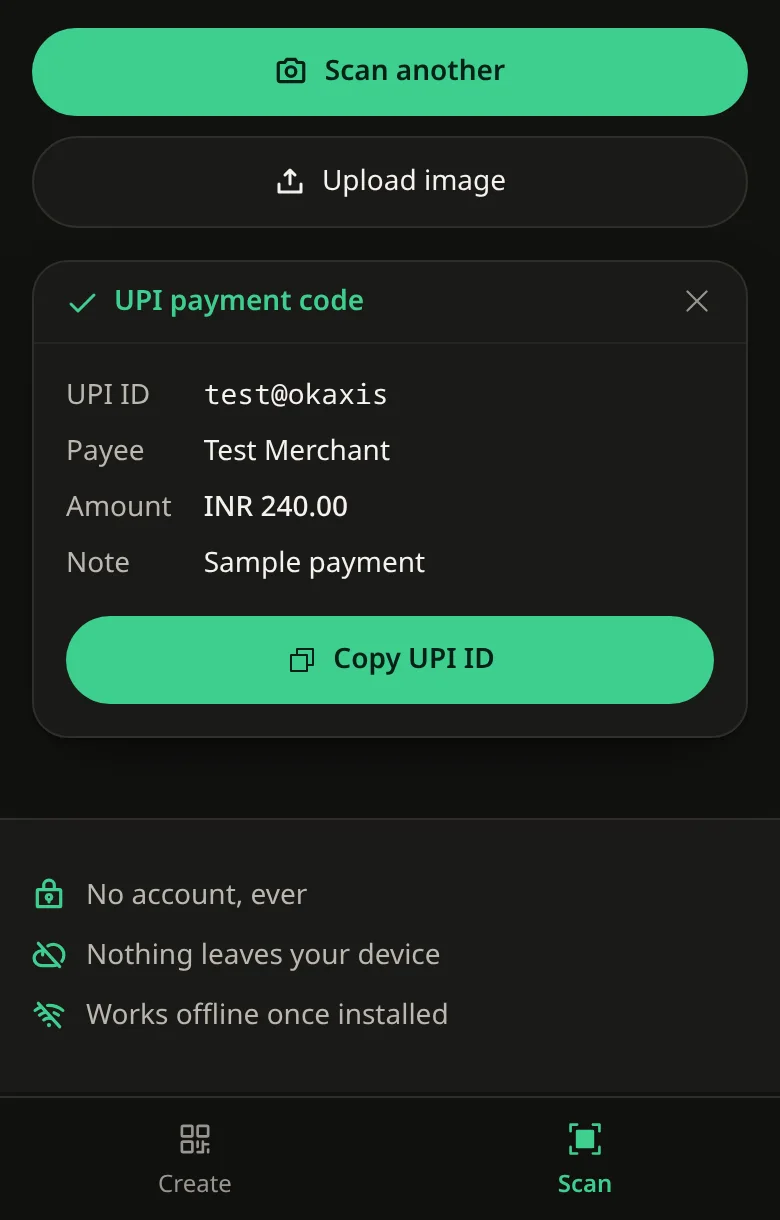
Reads more than the code
UPI and Bharat QR codes show the ID, payee and amount. WiFi, contact and calendar codes work too, with a password copy, a save-contact or an add-to-calendar button instead of raw text.
- Point the camera
- Upload a screenshot
- Paste one
- Drop it on the page
Flash, zoom and camera switching are built in, and a phone's back camera can be chosen by hand if it won't open on its own.
Nothing leaves your device
Logos, spreadsheets, WiFi passwords and scanned images stay in the browser. There is no server to send them to.
- No account, ever
- Installs as an app on phone or desktop
- Works offline once installed
- Optional history, kept only on your device
- Share links pack everything into the URL
Why this exists
Most “free” QR generators bury the plain static-code option, push you toward a tracked dynamic link, and ask for an account before you can download anything. Then the marketing email starts. For something as simple as encoding a WiFi password onto a card, that is a lot of friction.
Static codes, no redirect
EtchQR does the same job with none of it. Every code is static, so the data lives in the code itself rather than behind a redirect that someone else controls and could switch off later. The whole thing runs client-side, which is also why it still works with no connection once it is installed.
A scanner without the ads
The scanner came from the other half of the same annoyance: wanting to read a UPI code and get the actual UPI ID out of it, without installing a separate scanner app full of ads. It tries harder on photos taken at an angle, blurry screenshots and images squashed by chat apps.
History you control
History is available for both creating and scanning, and each one has its own switch. Turn it off, keep the last 10, 25, 50 or 100, or delete entries whenever you like. It is completely local: it lives in your browser, nothing is sent to any server, and passwords are never saved.
Share and print, nothing uploaded
A shareable design link packs the content and style into the link itself, so opening it rebuilds the code with nothing uploaded to make that happen. Printing a sheet of labels works out how many fit the page and adds a cut guide, all computed in the browser from the size and margin you set.