 DS4-ESP Pairing Tool
Pair a DualShock 4
straight to an ESP32.
A browser tool that writes your ESP32's Bluetooth address into the controller over USB. No drivers and no companion app, just two cables and Chrome or Edge.
device.sendFeatureReport(0x13, payload)
The controller only trusts one address
Lightweight ESP32 libraries like PS4Controller skip real Bluetooth pairing. There is no discovery scan and no bonding handshake. They accept a connection from whatever host address the DS4 already has stored, the same trick a console relies on for instant reconnects.
That address normally gets set only when the controller pairs with a real console or PC. This tool overwrites it directly over USB, so the DS4 connects straight to your ESP32.
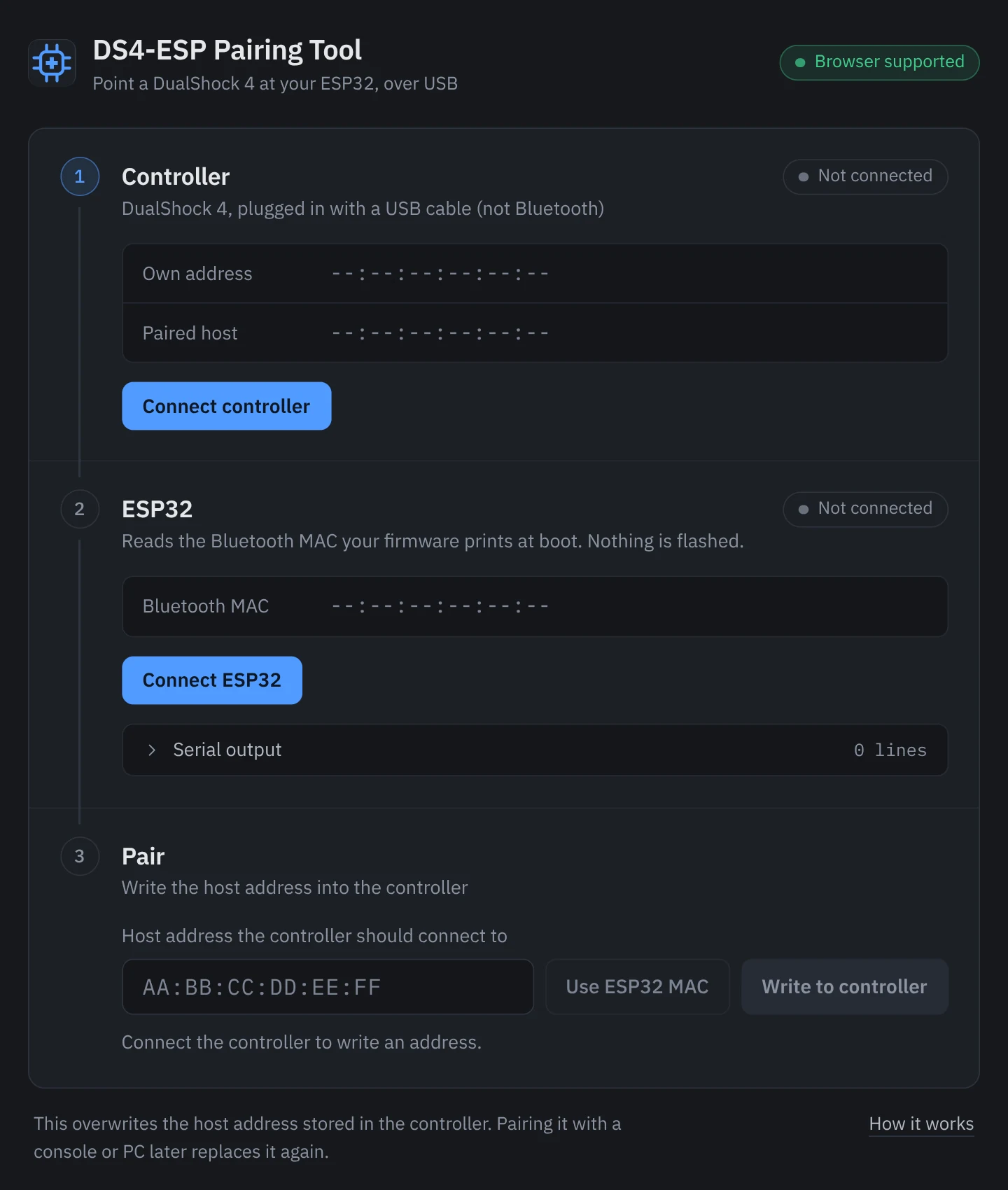
Read the DS4
Shows the controller's own Bluetooth address and the host it is currently paired to, as soon as it connects.
Read the ESP32
Picks the board's Bluetooth MAC out of its serial output. It reboots the board on connect, so the boot banner prints every time.
Write and verify
The detected address is filled in for you. One click writes it, and the tool reads the controller back to confirm it took.
Six steps, two USB cables
- Plug the DS4 in with a USB cable, not Bluetooth.
- Click Connect controller and pick it from the browser's device picker. The tool reads its own address and its current host.
- Plug the ESP32 in through its USB-serial adapter.
- Click Connect ESP32 and pick its port. The tool resets the board, finds the Bluetooth MAC it prints, and fills it in.
- Click Write to controller. The tool reads the controller back to confirm the new address took.
- Unplug the DS4 and press the PS button. It should now connect to the ESP32 over Bluetooth.
Before you start
Chrome or Edge
Firefox and Safari don't support WebHID or Web Serial, and some Chromium forks such as Brave may block them by default.
Firmware that prints its MAC
The tool reads whatever your firmware prints over serial, so it needs to print its Bluetooth MAC at boot. Call this after PS4.begin().
#include <esp_bt_device.h>

const uint8_t* mac = esp_bt_dev_get_address();
Serial.printf("ESP32 Bluetooth MAC: "
  "%02X:%02X:%02X:%02X:%02X:%02X\n",
  mac[0], mac[1], mac[2], mac[3], mac[4], mac[5]);
On Linux, a udev rule
If connecting fails with NotAllowedError, the controller's hidraw node is root-only. Add this rule, reload udev, replug the controller, and make sure your user is in the input group.
# /etc/udev/rules.d/99-ds4-hidraw.rules
KERNEL=="hidraw*", ATTRS{idVendor}=="054c", GROUP="input", MODE="0660"
One thing to know. This skips real Bluetooth pairing and only overwrites the host address the DS4 has stored. Pairing the controller with a PS4, PS5 or PC later overwrites it again, so run the tool once more to switch back.
Live at ds4esppairingtool.spidey.in
Open the tool- WebHID
- Web Serial
- Nothing to install
- Tested on a DS4 v2 (CUH-ZCT2x)